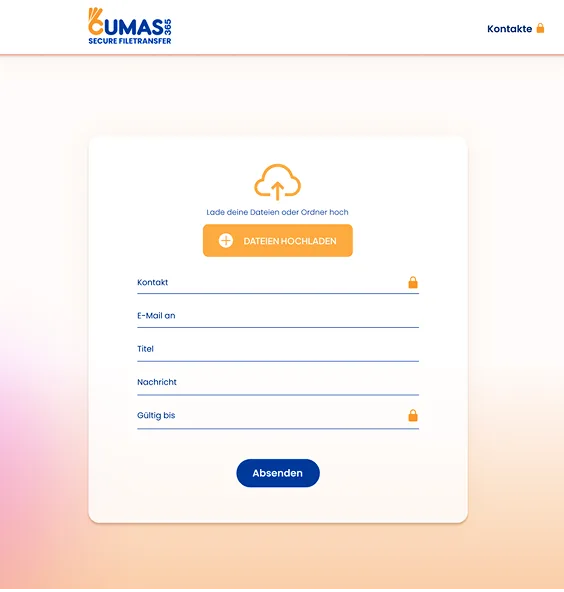

Sicher, markenkonform, effizient.
Datenübertragung ohne Kompromisse

SCHNELL & INTUITIV

MADE IN GERMANY
Vertrauen Sie auf DSGVO-konforme Übertragung und höchste Sicherheitsstandards über ein deutsches Rechenzentrum.
MEHR ERFAHREN
EIGENES BRANDING
Mit der Branding-Option integrieren Sie die Datenübertragung nahtlos in das Erscheinungsbild Ihres Unternehmens.
MEHR ERFAHRENPerfekt für Kreative, Fotografen und KMU
Sicher, markenkonform, effizient.
Schnell. Sicher. Individuell.


Die Lösung für kreative Köpfe
Protokollierte Übertragung für Meisterwerke
Effiziente Teamarbeit für KMU
Neu: SFT-Sign
Dokumente digital unterschreiben
Rechtssicher dokumentiert
Einfach für alle
PDF hochladen, Felder platzieren, per Link einladen. Empfänger unterschreiben ohne eigenes Konto.
MEHR ERFAHREN
Im PDF eingebrannt
Abgeschlossene Unterschriften werden fest ins Dokument geschrieben – fertig zum Download und zur Archivierung.
MEHR ERFAHRENNeu: SFT Collect
Gemeinsam Dateien sammeln und teilen
Album statt Einzelversand
Teilen per Link & QR
Sammlung in Sekunden freigeben. Mitglieder einladen und Rechte steuern: Betrachter, Download, Upload oder Vollzugriff.
MEHR ERFAHREN
Sicher und nachvollziehbar
Ablaufdatum, Passwortschutz und Aktivitätsprotokoll – DSGVO-konform und Made in Germany.
MEHR ERFAHRENWir haben die passende Lösung für Ihre Bedürfnisse
Sicherheit trifft Geschwindigkeit

Über 200 Menschen vertrauen uns
Datenübertragung, die Vertrauen schafft.


WeTransfer Alternative
Die sichere Alternative zu WeTransfer
Sie suchen eine WeTransfer Alternative oder einen We-Transfer Ersatz mit Datenschutz Made in Germany? CUMAS365 SFT kombiniert sicheren Dateitransfer, gemeinsames Sammeln (SFT Collect) und digitale Unterschrift (SFT-Sign) – ohne Kompromisse bei DSGVO und Branding.
Hosting in Deutschland
Mehr als nur senden
Neben dem klassischen Transfer: gemeinsame Alben mit SFT Collect und digitale Unterschriften mit SFT-Sign in einer Plattform.
Professionelles Branding
Eigenes Logo und Erscheinungsbild für Kundenübertragungen – ideal für Agenturen, Fotografen und KMU.
FAQ
Häufig gestellte Fragen
CUMAS365 SFT (Secure File Transfer) ist eine cloudbasierte Softwarelösung Made in Germany, mit der Unternehmen Dateien sicher und effizient über das Internet übertragen können. Mit TLS-Verschlüsselung, optionaler Zwei-Faktor-Authentifizierung, Branding, SFT Collect und SFT-Sign sowie Hosting in Deutschland bleibt Ihre Datenübertragung DSGVO-konform geschützt.
SecureFileTransfer verwendet modernste Sicherheitsprotokolle zum Schutz Ihrer Dateien. Dazu gehören End-to-End-Verschlüsselung, damit nur autorisierte Empfänger die Dateien lesen können, Zwei-Faktor-Authentifizierung für zusätzlichen Login-Schutz und umfassende Zugriffssteuerungen, damit nur berechtigte Personen auf Ihre Daten zugreifen können. Zusätzlich werden alle Aktivitäten protokolliert und überwacht.
SecureFileTransfer bietet umfassende Support- und Schulungsressourcen, um Ihnen den Einstieg zu erleichtern und den laufenden Betrieb zu unterstützen. Dazu gehören eine detaillierte Wissensdatenbank, Schritt-für-Schritt-Anleitungen, Webinare und ein dediziertes Support-Team, das per E-Mail, Telefon oder Chat erreichbar ist. Zusätzlich bieten wir maßgeschneiderte Schulungen für Ihr Team, damit Sie alle Funktionen und Vorteile der Software voll ausschöpfen können.
SecureFileTransfer unterstützt eine Vielzahl von Dateitypen, darunter Dokumente, Bilder, Videos und mehr. Die maximale Dateigröße hängt von Ihrem Abonnement-Tarif ab. Es stehen flexible Optionen zur Verfügung, um die Lösung zu wählen, die am besten zu Ihren Geschäftsanforderungen passt.
Klicken Sie im Menü oben rechts in Ihrem Konto auf „Abonnement verwalten“, um Ihren Tarif zu ändern.
Ja. CUMAS365 SFT ist eine WeTransfer Alternative / We-Transfer Ersatzlösung Made in Germany: große Dateien sicher senden und empfangen, mit eigenem Branding, Protokollierung und DSGVO-konformem Hosting in Deutschland – plus SFT Collect und SFT-Sign.
Mit SFT Collect erstellen Sie gemeinsame Sammlungen ähnlich WeTransfer Alben: Galerie, Upload, Download, Teilen per Link und QR sowie Rechte für Mitglieder – inklusive Ablaufdatum und Aktivitätsprotokoll.